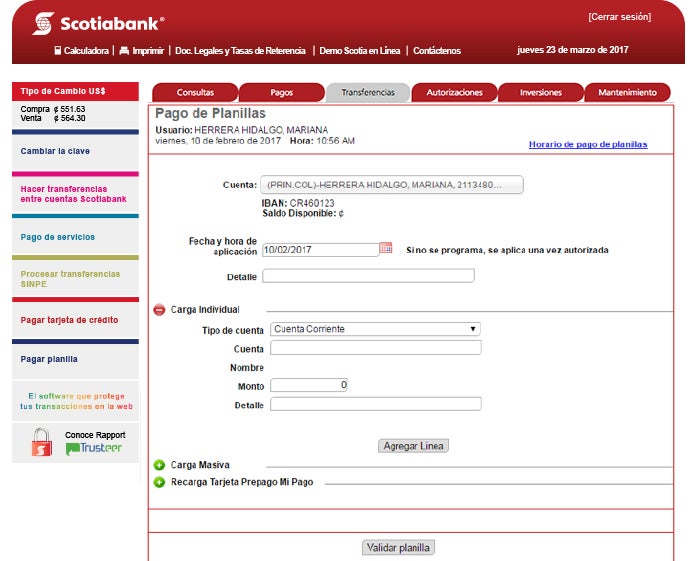
Transfers Payroll Payments
1. Select the “Payroll Payment” tab under the “Transfers” option and then select “Pay”.
2. Select or enter the account number from which you want to make the payroll payment.
3. If the payment is to be individual, click on the "Individual Upload” option.
4. You will be prompted to select from the list the type of account to be debited, account number, amount to be paid, and description.
5. Click on “Add Line” and the details of the transfer you want to make will be displayed.
6. Click on “Validate Payroll”.
7. You will be prompted to enter the verification key for processing the transaction.